
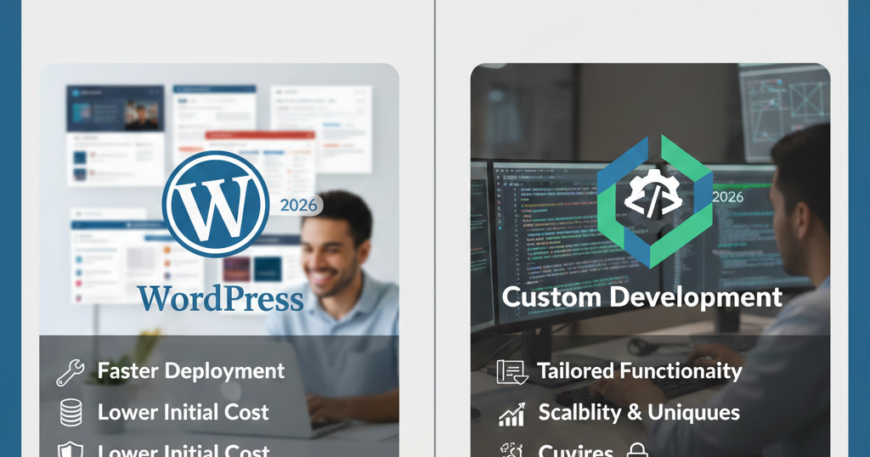
WordPress vs Custom Development (2026 Comparison)
The year 2026 has brought a seismic shift in how we build for the web. With AI-augmented coding, the rise of “headless” architectures, and search engines prioritizing user experience (UX) and site speed more than ever, the choice between WordPress and Custom Development is no longer a simple one.
In this guide, we will break down the WordPress vs. Custom Development debate for 2026, helping you decide which path aligns with your budget, scalability needs, and long-term business goals.
1. The State of WordPress in 2026: More Than a CMS
WordPress has evolved far beyond its blogging roots. In 2026, it remains the world’s most popular platform, but the way it is used has changed. The introduction of Full Site Editing (FSE) and advanced AI-powered block builders has made it a formidable tool for even complex businesses.
The “Pro” Side of WordPress
- Speed of Deployment: If you need a website launched in weeks, not months, WordPress is the clear winner. Thousands of pre-validated themes and plugins allow for rapid prototyping.
- The Content Management Advantage: WordPress was built for content. Its interface is intuitive, meaning your marketing team can update blogs, landing pages, and SEO meta-tags without ever calling a developer.
- SEO Dominance: With 2026-era plugins like RankMath or Yoast (now fully integrated with AI), WordPress sites are structured for search engine success out of the box.
- Lower Initial Cost (CapEx): You don’t need a team of five engineers to launch. A single skilled developer or agency can manage a high-end WordPress site.
The “Con” Side of WordPress
- Security Vulnerabilities: Because it powers nearly half the web, it is the biggest target for hackers. Constant updates to core, plugins, and themes are mandatory.
- The “Plugin Bloat” Trap: Relying on too many third-party tools can slow down your site, negatively impacting your Core Web Vitals.
- Maintenance Overhead: Someone must manage the weekly updates and backups to ensure the site doesn’t “break” when a plugin becomes obsolete.
2. Custom Development: The Performance Powerhouse
Custom development in 2026 usually involves modern frameworks like Next.js, React, Vue, or even Rust-based backends. This isn’t just “writing code”—it’s building a tailored digital engine designed specifically for your business logic.
The “Pro” Side of Custom Development
- Peak Performance: Custom sites carry zero “legacy code.” They load only what is necessary, resulting in sub-second load times that WordPress simply cannot match.
- Total Security: Without a standard login URL (like /wp-admin) or public plugins, custom-built applications are significantly harder to breach.
- Unlimited Scalability: If your business model changes, your code can change with it. You aren’t “boxed in” by the limitations of a pre-existing CMS framework.
- Superior UX/UI: Custom development allows for unique, interactive user experiences that set your brand apart from the thousands of “template-looking” sites on the web.
The “Con” Side of Custom Development
- High Development Cost: You are paying for specialized talent. Building from scratch requires a significantly higher upfront investment.
- Slower Time-to-Market: Writing custom logic, setting up databases, and rigorous testing takes time.
- The “Developer Dependency”: If your developer leaves and hasn’t documented the code well, it can be expensive and difficult for a new person to take over.
3. WordPress vs Custom Development Comparison (2026 Metrics)
| Feature | WordPress (2026) | Custom Development | | :— | :— | :— | | Development Time | 2–6 Weeks | 3–6 Months | | Upfront Cost | $ (Budget-friendly) | $$$ (Significant Investment) | | Security | Moderate (Requires Plugins) | High (Built-in) | | Page Speed | Good (If optimized) | Elite (Near-Instant) | | Marketing Autonomy | High (Easy to edit) | Low (Needs dev for changes) | | AI Integration | Plugin-based | Native & Deeply Integrated |
4. The “Middle Ground”: Headless WordPress
In 2026, many smart businesses are choosing a Hybrid Approach known as Headless CMS.
In this setup, you use WordPress as the Backend (where your team writes content) but use Next.js or React as the Frontend (what the user sees).
- Benefit: You get the ease of WordPress content management combined with the insane speed and security of custom development.
- Who it’s for: Growing brands that have outgrown traditional WordPress but aren’t ready to build a 100% custom database.
5. Key Decision Factors: Which one should you choose?
To make the right choice, ask yourself these four critical questions:
A. What is the complexity of your business logic in wordPress vs Custom Development?
If you are building a social media platform, a complex SaaS tool, or a high-frequency trading dashboard, Custom Development is the only way. If you are building a corporate site, an e-commerce store, or a news portal, WordPress is more than sufficient.
B. How important is Site Speed to your SEO?
If you are in a hyper-competitive niche (like Finance or Real Estate) where every millisecond counts for Google ranking, Custom Development gives you the edge. For most local businesses or service providers, an optimized WordPress site is enough to reach page one.
C. Who will manage the site daily?
Do you have a dedicated developer on payroll? If yes, Custom Dev is fine. If your “marketing person” or “assistant” will be posting blogs and changing banners, WordPress will save you thousands in development hours.
D. What is your 3-year budget?
- WordPress: Lower upfront cost, but requires steady monthly maintenance/security costs.
- Custom Dev: High upfront cost, but usually lower maintenance costs once the “perfect” build is complete.
6. The AI Factor in 2026
It is important to note that in 2026, AI-augmented coding (like GitHub Copilot 5.0) has made custom development roughly 30% faster than it was in 2023. Conversely, WordPress has integrated AI that can auto-generate layouts and fix CSS bugs.
The takeaway: Technology is making both options better. The “gap” in effort is closing, but the “gap” in performance remains.
Conclusion: The Final Verdict
Choose WordPress if: You are a small-to-mid-sized business, a content creator, or an e-commerce brand that needs to move fast, manage content easily, and keep initial costs manageable.
Choose Custom Development if: You are a tech-first company, a large enterprise, or a brand that requires extreme performance, top-tier security, and a unique digital experience that no template can provide.
Still undecided? Start with a Discovery Phase. Map out your user journey and technical requirements. Often, a high-end WordPress build can take you to your first $1M in revenue, at which point you can reinvest into a custom-built powerhouse.