


The Speed of Light: Website Speed Optimization Design Tips for Core Web Vitals 2026
Website Speed Optimization Design Tips. In the digital landscape of 2026, a “fast” website is no longer a luxury—it is the baseline for survival. As search engines evolve and user patience shrinks to milliseconds, the intersection of web design and technical performance has become the primary battleground for SEO and conversion rates.
Google’s Core Web Vitals (CWV) have undergone significant shifts. What worked in 2022 is now considered technical debt. To rank and retain users today, designers and developers must collaborate on a “performance-first” philosophy.
This guide explores the essential design strategies to master Core Web Vitals in 2026, ensuring your site is as fast as it is beautiful.
1. Understanding Website Speed Optimization Design Tips
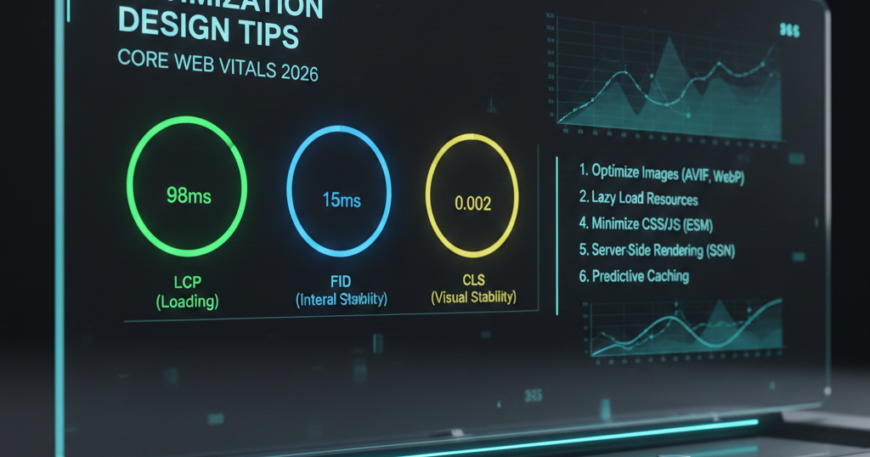
Before diving into design tips, we must understand the metrics that define success in 2026. While the core pillars remain, the focus has shifted toward real-world interactivity and visual predictability.
- LCP (Largest Contentful Paint): Measures loading performance. For 2026, the target is under 1.2 seconds.
- CLS (Cumulative Layout Shift): Measures visual stability. Any movement during loading is penalized. Target score: Less than 0.1.
- INP (Interaction to Next Paint): Having fully replaced FID (First Input Delay), INP measures the latency of every interaction. A “good” score is under 200 milliseconds.
2. Prioritize “Visual Stability” in Layout Design
Nothing frustrates a modern user more than a button that moves just as they are about to click it. This is the essence of CLS. From a design perspective, stability must be hard-coded into your wireframes.
Use Aspect Ratio Boxes( Website Speed Optimization Design Tips)
In 2026, browser support for the aspect-ratio CSS property is universal. Designers should specify dimensions for every media element (images, videos, IFrames) to ensure the browser reserves the exact space before the asset loads.
- Actionable Tip: Always define
widthandheightattributes in your HTML, or use CSSaspect-ratio: 16/9;to prevent layout jumps.
Avoid Late-Loading Elements
Top-of-page banners, newsletter pop-ups, and dynamic ads are the primary enemies of CLS.
- Design Strategy: If you must use a top banner, use a skeleton screen or a placeholder container that matches the final dimensions of the content.
3. Hero Sections: Designing for LCP
The Largest Contentful Paint is usually your hero image or your primary H1 heading. In 2026, the trend is moving away from heavy, high-resolution background videos in favor of performant visual storytelling.
The Rise of AVIF and Beyond
By 2026, AVIF has become the industry standard, offering 30-50% better compression than WebP without losing quality.
- Design Strategy: Export all hero assets in AVIF format. Ensure your CMS is configured to serve responsive images (
srcset) based on the user’s device.
Implement Fetch Priority
Designers can now “hint” to the browser which elements are most important.
- Technical Tip: Use the
fetchpriority="high"attribute on your hero image. This tells the browser to download the image immediately, even before it finishes parsing the rest of the CSS.
4. Typography and Variable Fonts
Fonts are often the hidden culprit behind slow load times and “flash of unstyled text” (FOUT). In 2026, we prioritize Variable Fonts.
The Power of One File
Instead of loading separate files for Bold, Italic, Light, and Regular, a Variable Font uses a single file that can render any weight or style.
- Benefit: Reduces HTTP requests and total file size by up to 70%.
- Actionable Step: Use System Fonts (like San Francisco or Roboto) for UI elements and reserve custom Variable Fonts for brand-heavy headings only.
5. Optimizing for Interaction to Next Paint (INP)
INP is the newest heavyweight metric. It measures how quickly a page responds when a user clicks a menu, a button, or an accordion.
Minimize Main-Thread Blocking
Heavy JavaScript (JS) animations are the primary cause of poor INP. In 2026, design trends have shifted toward CSS-only animations.
- Design Tip: Use CSS transitions for hover effects and menu toggles rather than JS libraries.
- UX Strategy: Provide immediate visual feedback. If a user clicks a “Submit” button, the button should instantly change state (e.g., a loading spinner) while the background process happens. This lowers the perceived latency.
6. Sustainable Web Design: The “Green” Factor
In 2026, Core Web Vitals are increasingly linked to Sustainability Metrics. A faster site consumes less energy, and search engines are beginning to reward “Low Carbon” websites.
Dark Mode by Default
OLED screens (standard on 2026 smartphones) consume significantly less power when displaying dark colors.
- Strategy: Design a “Dark Mode First” experience. Not only is it easier on the eyes, but it also reduces the energy footprint of your site.
Micro-Interactions over Heavy Video
Instead of a 20MB background video, use Lottie files or high-performance SVG animations. These provide the same visual engagement at a fraction of the file size.
7. The 2026 Performance Checklist for Designers
To ensure your design aligns with Core Web Vitals 2026, follow this structured workflow:
- Mobile-First Asset Delivery: Design for the smallest screen first. Only load high-res assets when the viewport exceeds 1200px.
- Lazy Loading & Content-Visibility: Ensure all images “below the fold” use
loading="lazy". Use the CSS propertycontent-visibility: auto;to allow the browser to skip rendering off-screen content. - Critical CSS: Work with developers to inline the “Critical CSS” (the styles needed for the initial view) and defer the rest.
- Avoid Third-Party Bloat: Every external script (tracking pixels, chatbots, social feeds) adds to the INP delay. Design native solutions where possible.
8. Leveraging AI for Speed Optimization
In 2026, AI tools are integrated directly into the design workflow (Figma, Adobe XD) to optimize speed before a single line of code is written.
- AI Compression: Use AI-driven plugins to intelligently remove pixels that the human eye cannot perceive.
- Code-Gen Efficiency: Modern AI-to-code tools generate “dry” (Don’t Repeat Yourself) CSS, reducing the overall stylesheet size and improving LCP.
Conclusion: Speed is the Ultimate UX
As we navigate the requirements of Core Web Vitals 2026, it is clear that speed is no longer just a technical checkbox—it is a design discipline. A site that loads in under a second but lacks visual stability will fail the user. Conversely, a beautiful site that takes five seconds to respond will never be seen.
By adopting Variable Fonts, prioritizing AVIF imagery, mastering INP feedback, and embracing Sustainable Design, you create a digital experience that satisfies both the Google algorithm and the human user.
The Golden Rule for 2026: Design with the user’s time in mind. If a design element doesn’t add value to the user journey or harms the site’s speed, it belongs in the trash, not on the landing page.