

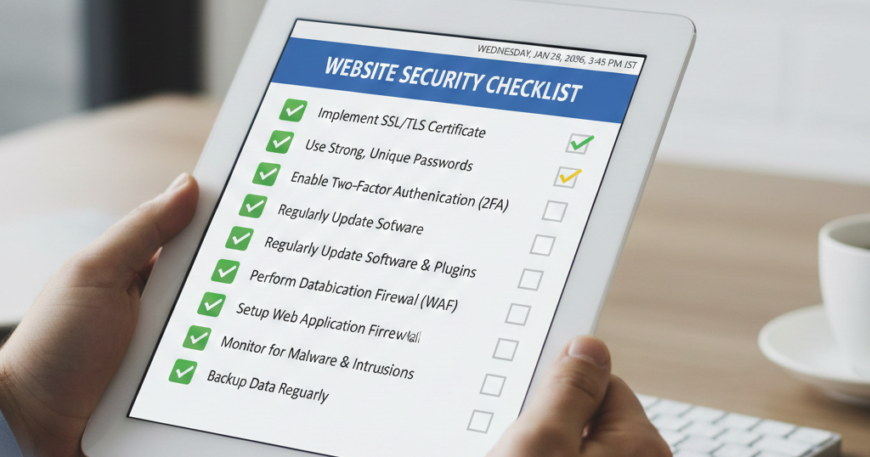
Website Security Checklist (2026 Updated)
Website Security Checklist In 2026, website security is no longer a “set it and forget it” task. With the rise of AI-driven cyberattacks, sophisticated phishing schemes, and automated botnets, having a simple SSL certificate is just the bare minimum.
Cybersecurity has shifted from reactive measures to Proactive Resilience. Whether you are running a small blog or a multi-million dollar e-commerce store, this 2026 Website Security Checklist will help you fortify your digital borders against modern threats.
1. Authentication & Access Control (The Human Perimeter)
Most breaches happen because of compromised credentials. In 2026, the industry is moving toward a Zero-Trust Architecture.
- Implement Passkeys & Biometrics: Traditional passwords are becoming obsolete. Move toward Passkeys (WebAuthn) which use biometrics or hardware keys, making phishing nearly impossible.
- Mandatory Multi-Factor Authentication (MFA): Ensure that every user with administrative access uses MFA. Apps like Google Authenticator or hardware tokens (YubiKey) are far superior to SMS-based codes.
- Principle of Least Privilege (PoLP): Only give users the access they absolutely need. A content writer does not need “Administrator” rights; an “Editor” role is sufficient.
- Automated Session Timeouts: Automatically log out users after a period of inactivity to prevent session hijacking in public spaces.
2. Infrastructure & Server-Level Security
Your hosting environment is the foundation of your security. If the foundation is weak, the whole building will crumble.
- Move to TLS 1.3: TLS 1.2 is now considered the “old” standard. TLS 1.3 is faster and significantly more secure. Ensure your server is configured to reject older, insecure protocols.
- Web Application Firewall (WAF): Use a cloud-based WAF like Cloudflare, Akamai, or Sucuri. In 2026, these tools use Machine Learning to identify and block malicious traffic patterns before they even reach your server.
- DDoS Mitigation: Ensure your host provides advanced DDoS protection. Modern attacks can reach terabits per second, which only specialized infrastructure can absorb.
- Secure API Endpoints: If your site uses APIs (common in Headless CMS or React builds), ensure they are encrypted, rate-limited, and require authentication tokens (JWT).
3. Software Hygiene & Patch Management
Hackers love “Known Vulnerabilities.” If you haven’t updated your software, you are leaving the front door wide open.
- Auto-Update Core & Plugins: For platforms like WordPress, enable auto-updates for minor security releases.
- Regular Plugin Audits: Delete any plugin or theme that hasn’t been updated by the developer in the last 6 months. An abandoned plugin is a ticking time bomb.
- Containerization: Use Docker or similar container technologies to isolate your website environment. If one part is hacked, the rest of the server remains safe.
- Scanning for Malware: Use automated daily scanners (like MalCare or Wordfence) to check for file integrity and hidden backdoors.
4. Advanced Data Protection
Data is the new gold. Protecting user information is not just a security choice; it’s a legal requirement (GDPR, CCPA).
- Database Encryption: Don’t just encrypt the connection; encrypt the data at rest. If someone steals your database file, the information should be unreadable without the master key.
- Off-site, Encrypted Backups: Follow the 3-2-1 Backup Rule: 3 copies of data, on 2 different media, with 1 copy off-site. Ensure backups are “Immutable,” meaning they cannot be deleted or changed by ransomware.
- Sanitize All Inputs: Prevent SQL Injection and Cross-Site Scripting (XSS) by validating and sanitizing every piece of data a user enters into a form.
- Security Headers: Implement advanced HTTP security headers like:
- Content Security Policy (CSP): Prevents unauthorized scripts from running.
- HSTS: Forces browsers to use secure HTTPS connections only.
- X-Frame-Options: Prevents “Clickjacking” attacks.
5. The AI Defense Factor (New for 2026)
As hackers use AI to find bugs, you must use AI to stop them.
- AI-Driven Threat Detection: Deploy security tools that use Behavioral Analysis. Instead of looking for known viruses, these tools look for “unusual behavior” (e.g., a user from a new country suddenly trying to delete 1,000 files).
- Bot Management: AI scrapers can steal your content or brute-force your login. Use bot-management tools to distinguish between “Good Bots” (Google) and “Bad Bots” (Content Scrapers).
- Deepfake & Fraud Protection: If your site handles high-value transactions, implement AI checks to ensure that uploaded IDs or photos are not AI-generated deepfakes.
6. Compliance & Auditing
Security is a process, not a product. Regular checks are vital.
- Regular Penetration Testing: Once or twice a year, hire a “White Hat” hacker to try and break into your site. This reveals weaknesses you would never find on your own.
- Privacy Policy Updates: Ensure your privacy policy is up to date with 2026 regulations. Transparency builds trust with your users.
- Activity Logs: Keep a detailed log of every admin action. If something goes wrong, you need to know Who, When, and What was changed.
Summary Table:Website Security Checklist
| Priority Level | Action Item | Why it Matters | | :— | :— | :— | | Critical | MFA & Passkeys | Stops 99% of bulk hacking attempts. | | Critical | WAF & DDoS Protection | Protects against server crashes and bot attacks. | | High | Immutable Backups | Your only hope against Ransomware. | | High | Security Headers (CSP) | Stops malicious scripts from stealing user data. | | Medium | AI Threat Detection | Finds “Zero-Day” threats before they are famous. |
Conclusion: Don’t Wait for a Breach
In the digital world of 2026, trust is the most expensive currency. A single hack can destroy years of brand reputation and cost thousands in legal fees and lost revenue.
By following this checklist, you aren’t just “fixing a website”—you are building a fortress. Start with the Critical items today (MFA and Backups) and work your way down the list.
Final Tip: Security is a culture. Train your team to recognize phishing attempts and encourage a “Security-First” mindset in every update you push to your site.