


The Rise of Dark Mode: How It Impacts UX and SEO in 2026
Dark Mode Website Design: SEO & UX Impact. Not too long ago, “Dark Mode” was a feature reserved for coders and night owls. Fast forward to 2026, and it has become a global standard. From macOS and Android to apps like Instagram and LinkedIn, the “dark side” is everywhere.
For a Freelance Web Developer & UI/UX Specialist, implementing dark mode is no longer just a “nice-to-have” feature; it is a strategic necessity. But does it actually help you rank better on Google? And how does it change the way users interact with your brand?
In this comprehensive guide, we will explore the profound impact of Dark Mode Design on User Experience (UX) and Search Engine Optimization (SEO).
1. Why Dark Mode Website Design is the New Standard
The shift toward dark interfaces is driven by two main factors: Hardware evolution and User behavior.
With the majority of smartphones now using OLED and AMOLED screens, dark mode isn’t just an aesthetic choice—it’s a functional one. On these screens, black pixels are essentially “turned off,” which leads to significant battery savings. Simultaneously, as our screen time increases, users are looking for ways to reduce digital fatigue.
2. The UX Impact: Why Users Love the Dark Side
A great user experience is built on comfort. Dark mode offers several psychological and physiological benefits:
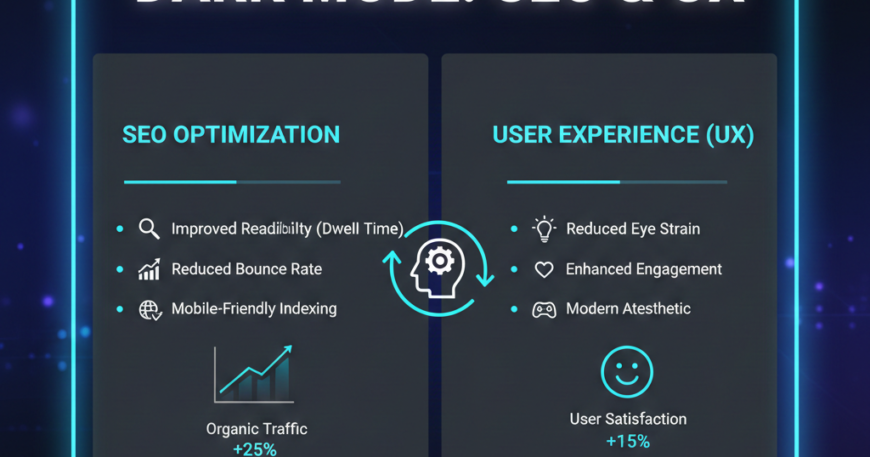
Reduced Visual Fatigue (Eye Strain)
In low-light environments, a bright white screen acts like a flashlight in the user’s eyes. Dark mode reduces glare and minimizes blue light exposure, making it easier for users to consume long-form content without headaches or eye strain.
Improved Visual Hierarchy
Dark backgrounds allow high-saturation colors to “pop.” As a UI specialist, you can use this to your advantage by making Call-to-Action (CTA) buttons more vibrant and noticeable, guiding the user’s eye exactly where you want it to go.
Battery Longevity
For mobile users, battery life is a top priority. Apps and websites that offer dark mode help devices last longer. When your website respects a user’s device settings, it creates a sense of brand empathy, showing that you care about their hardware performance.
3. The SEO Impact: Does Dark Mode Help You Rank?
Google does not have a “Dark Mode Ranking Factor.” However, SEO in 2026 is heavily dependent on User Experience Signals. If your site is painful to look at, your SEO will suffer.
Reduced Bounce Rates
Imagine a user browsing their phone in bed at 11 PM. They click on your search result, and a blinding white screen appears. They will likely hit the “back” button immediately. This increases your Bounce Rate, signaling to Google that your page might not be the best result for that user.
Increased Dwell Time
When a website is comfortable to read, users stay longer. Dwell Time (the amount of time a user spends on your page before returning to the SERPs) is a critical indirect ranking factor. Dark mode encourages users to read your 2,000-word blog post rather than skimming and leaving.
Accessibility and Core Web Vitals
Google’s algorithms prioritize Accessibility. A well-implemented dark mode ensures that high contrast ratios are maintained, helping your site meet Web Content Accessibility Guidelines (WCAG). Sites that are accessible tend to have cleaner code and better structure, which positively influences Core Web Vitals.
4. Common Dark Mode Design Pitfalls
Many developers make the mistake of simply “inverting” their CSS. This is a recipe for a UX disaster. Here are things to avoid:
- Avoid Pure Black (#000000): Pure black can cause “halation” (a blurring effect) when white text is placed on top of it, especially for users with astigmatism. Instead, use Dark Grey (#121212) to create depth and reduce contrast harshness.
- Saturated Colors on Dark Backgrounds: A bright neon red that looks great on white can “vibrate” and hurt the eyes on a dark background. You must desaturate your color palette for the dark version of your site.
- Ignoring Images: If your website has transparent PNGs designed for white backgrounds, they might look terrible in dark mode (e.g., a black logo disappearing). Use SVG filters or swap images dynamically to ensure visibility.
5. Technical Best Practices for Developers
As a specialist, your implementation should be seamless. In 2026, the industry standard is to use CSS Variables combined with the prefers-color-scheme media query.
Step 1: Use CSS Variables
Define your colors in a way that allows for easy switching:
:root {
  --bg-color: #ffffff;
  --text-color: #000000;
}

[data-theme='dark'] {
  --bg-color: #121212;
  --text-color: #e0e0e0;
}
Step 2: Respect System Preferences
Use the user’s OS settings to set the default:
@media (prefers-color-scheme: dark) {
  body {
    background-color: var(--bg-color);
  }
}
Step 3: Provide a Manual Toggle
Always give the user control. Some people prefer light mode even at night, and others want dark mode during the day. A simple Sun/Moon icon toggle is a standard UI pattern that users expect.
6. Accessibility: The Golden Rule of Dark Mode
SEO and UX meet at the intersection of Accessibility. To ensure your dark mode is SEO-friendly, you must maintain a Contrast Ratio of at least 4.5:1 for body text.
Tools like Google Lighthouse and WebAIM Contrast Checker are essential for testing. If your dark mode makes text hard to read, Google’s accessibility audits will flag your site, potentially dragging down your search performance.
7. The Future: Generative Dark Mode
Looking toward the end of 2026, we are seeing the rise of Generative UI. AI can now analyze a user’s environment (using ambient light sensors) to subtly shift the hue and contrast of a website in real-time. A Freelance Specialist who understands how to integrate these Adaptive Interfaces will be at the forefront of the market.
Conclusion: Is Dark Mode Worth the Effort?
Absolutely. From a UX perspective, dark mode provides comfort, saves battery, and looks modern. From an SEO perspective, it improves user signals like bounce rate and dwell time while ensuring your site meets modern accessibility standards.
If you are building a website in 2026, dark mode is no longer an “addon”—it is a core component of a high-quality digital product. By focusing on readability, contrast, and user choice, you create a website that not only looks stunning but also ranks higher and converts better.
Dark Mode Launch Checklist:
- [ ] Contrast Check: Ensure all text passes WCAG AA standards.
- [ ] Logo & Icons: Verify that all transparent assets are visible on dark backgrounds.
- [ ] Desaturate Colors: Tone down vibrant colors to prevent “vibration.”
- [ ] System Sync: Implement
prefers-color-schemeto detect OS settings. - [ ] Performance: Ensure the theme-switching script doesn’t cause a “Flash of Unstyled Content” (FOUC).
- [ ] Testing: Test the site in a pitch-black room to ensure it isn’t too bright.
Need help implementing a high-performance Dark Mode for your brand? As a Freelance Web Developer & UI/UX Specialist, I can help you build a site that is as easy on the eyes as it is on the search engines. Let’s talk!