


5 Must-Have Features for Your Website Design in 2026
Features for Your Website Design In the current digital era, the difference between a high-converting website and a digital ghost town often comes down to a few critical features. By 2026, user expectations have evolved far beyond simple aesthetics. Today’s internet users demand speed, security, and an effortless experience across every device they own.
Whether you are launching a new startup or redesigning an established brand’s digital presence, your website must be more than just “online.” It must be a functional tool that solves problems for your users.
Here are the 5 must-have features that are essential for any successful website design today.
1. Mobile-First Responsive Features for Your Website Design
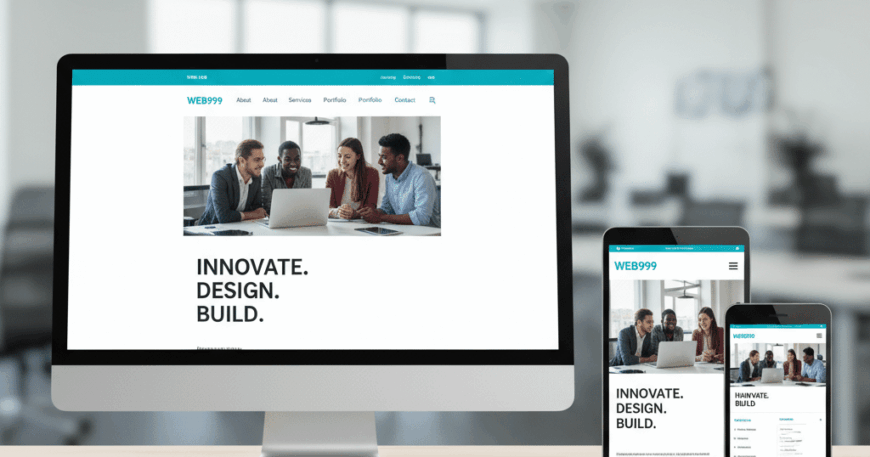
We are no longer in a “mobile-friendly” world; we are in a mobile-first world. In 2026, over 65% of global web traffic originates from mobile devices. If your website is designed for desktop and then “shrunk down” for mobile, you are likely frustrating more than half of your audience.
Why It’s Critical:
- Google’s Mobile-First Indexing: Google primarily uses the mobile version of a site’s content for indexing and ranking. A poor mobile experience directly translates to lower search engine rankings.
- Thumb-Friendly Navigation: Essential elements like buttons and menus must be placed within easy reach of a user’s thumb.
Actionable Steps:
- Use fluid grids and flexible image containers.
- Ensure a minimum “tap target” size of 44×44 pixels for all buttons.
- Test your site on various screen sizes, including foldable phones and tablets.
2. Lightning-Fast Loading Speed (Core Web Vitals)
Patience is a vanishing virtue on the internet. Research indicates that 53% of mobile users abandon a site if it takes longer than 3 seconds to load. In 2026, performance is not just a technical requirement—it is a core design feature.
The Metrics That Matter:
- LCP (Largest Contentful Paint): How long it takes for the main content to become visible.
- FID (First Input Delay): The time it takes for the site to respond to the user’s first click.
- CLS (Cumulative Layout Shift): Ensuring elements don’t “jump around” while the page is loading.
How to Optimize:
- Next-Gen Image Formats: Use WebP or AVIF instead of PNG or JPEG to reduce file size by up to 30% without losing quality.
- Code Minification: Strip away unnecessary characters from your HTML, CSS, and JavaScript.
- Content Delivery Networks (CDN): Host your files on servers closer to your users’ physical locations to reduce latency.
3. High-Conversion “Sticky” Navigation and Clear CTAs
A beautiful website is useless if the user doesn’t know what to do next. Your design must act as a roadmap, guiding the visitor toward a specific goal, whether that is booking a consultation, signing up for a newsletter, or making a purchase.
Characteristics of Effective Navigation:
- The 3-Click Rule: Users should find exactly what they need within three clicks of landing on your homepage.
- Sticky Header: Keep the main menu visible as the user scrolls down, ensuring they never have to scroll back to the top to move to a different page.
- Distinct Call-to-Actions (CTAs): Use high-contrast colors for your buttons (e.g., an orange “Get Started” button on a blue background).
CTA Best Practices:
- Use Action-Oriented Language: Instead of “Submit,” use “Claim Your Free Quote” or “Start My Trial.”
- White Space: Surround your buttons with plenty of negative space to make them “pop” visually.
4. Advanced Security and Trust Signals
Cybersecurity threats have become more sophisticated in 2026. Users are more aware than ever of data privacy and are hesitant to share personal information on sites that look “sketchy.” Building trust is an essential part of the design process.
Essential Security Features:
- SSL Certificate (HTTPS): This is the bare minimum. Sites without HTTPS are flagged as “Not Secure” by browsers, which kills your credibility and SEO.
- Privacy Policy & GDPR Compliance: Clear links to how you handle user data are mandatory for legal reasons and user trust.
- Trust Badges: Display logos of your security providers (e.g., Norton, McAfee) or industry certifications to reassure users during the checkout process.
Design Tip:
Integrate your SSL and trust badges subtly in the footer or near the checkout buttons. They don’t need to be loud, but they must be present.
5. Social Proof and Conversational AI Integration
In 2026, a static “Contact Us” form is often not enough. Users want immediate answers and proof that your business is legitimate.
Harnessing Social Proof:
- Dynamic Testimonials: Use rotating reviews from real customers, ideally pulled from third-party platforms like Google or Trustpilot.
- Case Studies/Portfolios: Show, don’t just tell. High-quality visual representations of your work build immediate authority.
The Rise of Conversational AI:
- Smart Chatbots: Integrated AI assistants can answer 80% of routine customer questions instantly, 24/7. This keeps users engaged on your site longer and moves them through the sales funnel faster.
- Personalization: Modern AI can suggest products or content based on a user’s previous behavior on your site, creating a “tailor-made” experience.
Conclusion: Designing for the Future
A successful website in 2026 is a blend of empathy and technology. By prioritizing mobile responsiveness, speed, clear navigation, security, and social proof, you create a digital environment where users feel safe, valued, and empowered to take action.
Remember, your website is a living entity. These five features provide the foundation, but continuous A/B testing and user feedback are what will keep your design effective in the long run.